

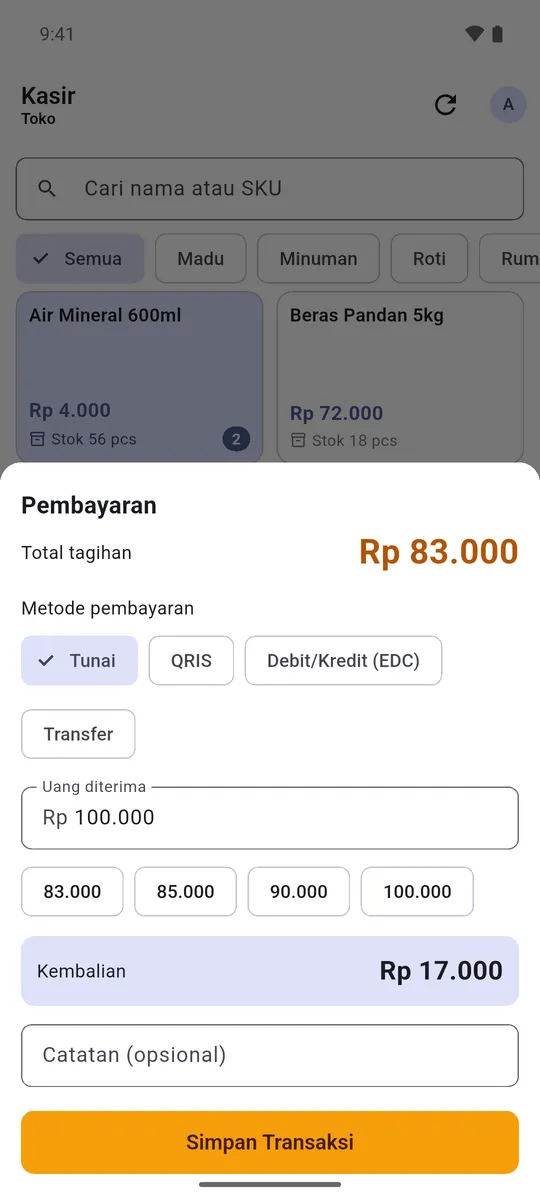
How much change was that again?
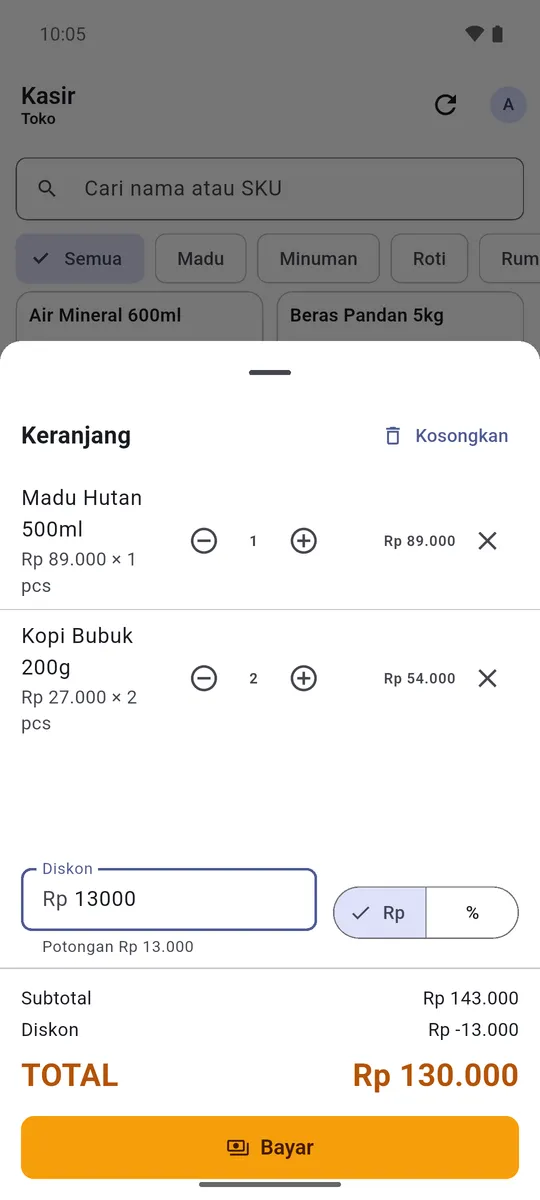
Change and discounts are worked out for you.
Type in the cash you were handed and the change appears. Records cash, QRIS, card and bank transfer.
A cash register for small shops
LapakuPOS turns the Android phone you already have into a cash register: it works out the change, records every sale and counts your stock down. It keeps working when the signal drops.
Each one is sorted below.
How much change was that again?
Type in the cash you were handed and the change appears. Records cash, QRIS, card and bank transfer.
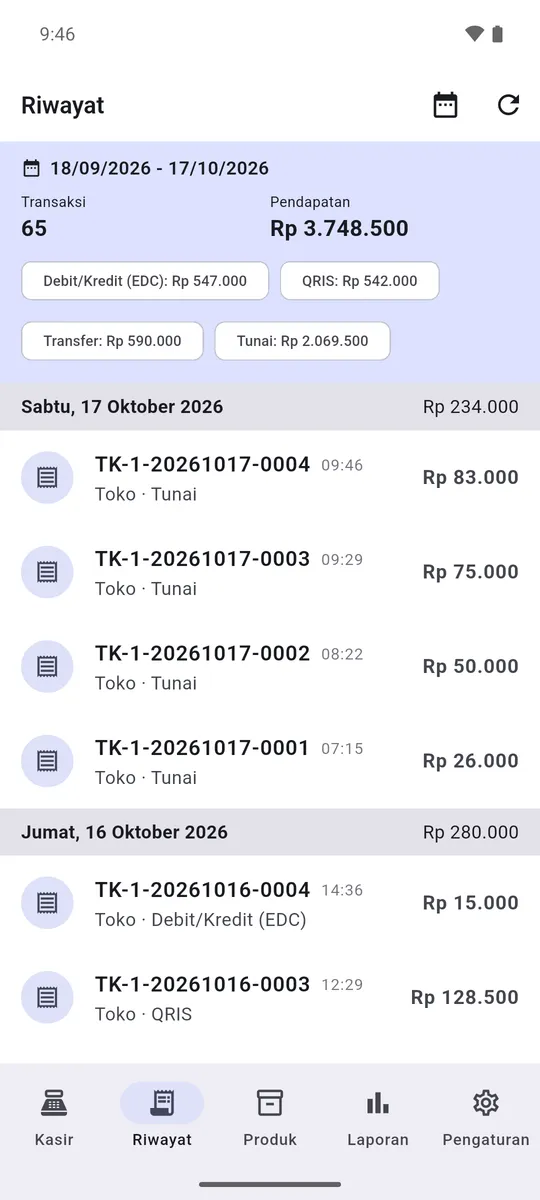
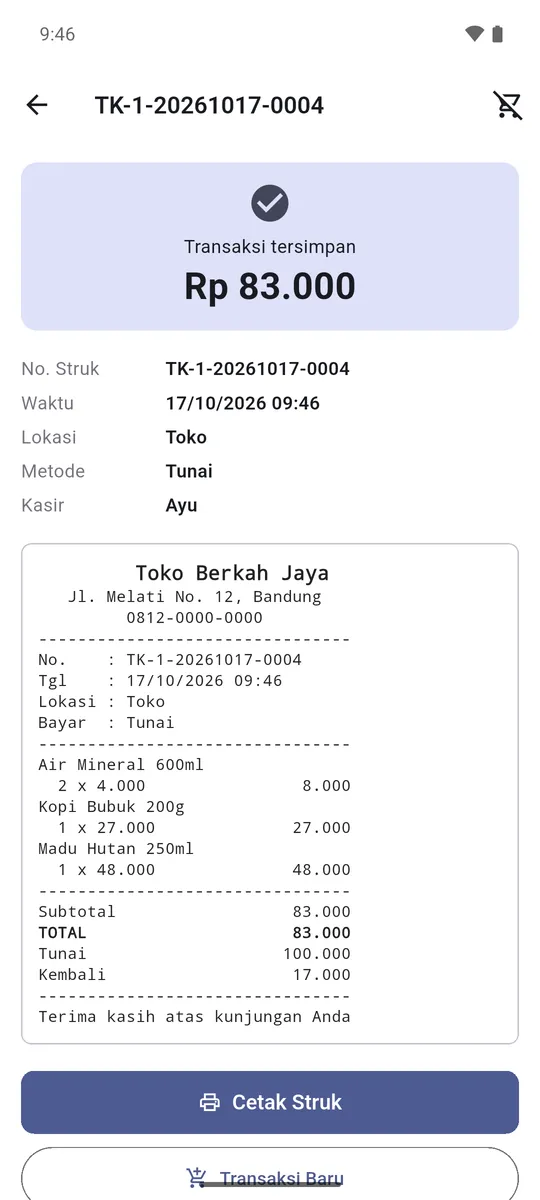
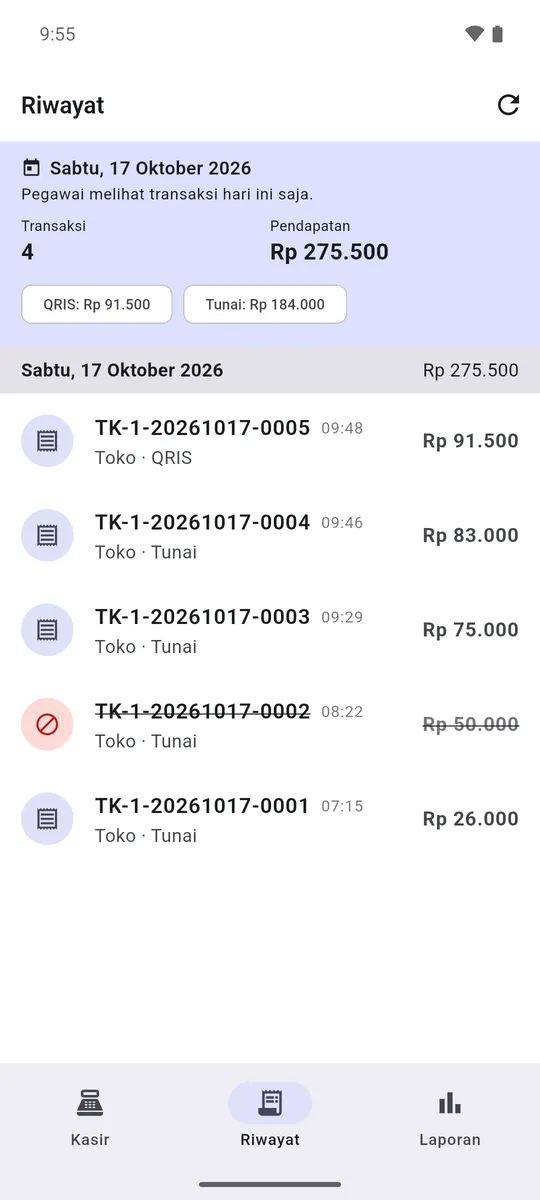
Did that coffee sale get written down?
With the receipt number, the time, how it was paid and who served. Sorted by day.
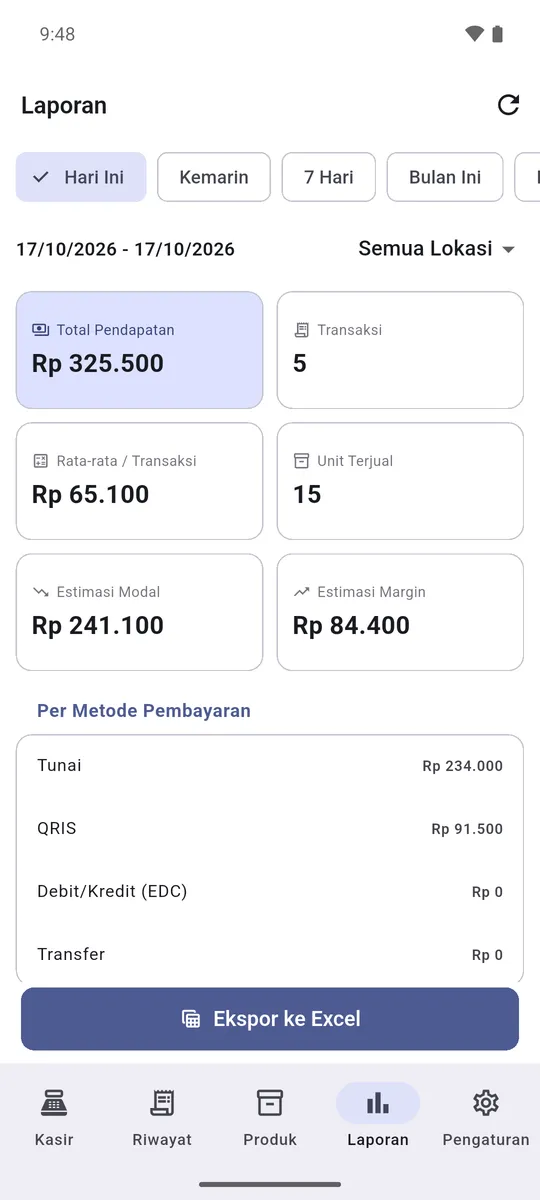
Why is the cash drawer short?
Today's takings are split by payment method. Cash is checked against the drawer, QRIS and transfers against the bank account.
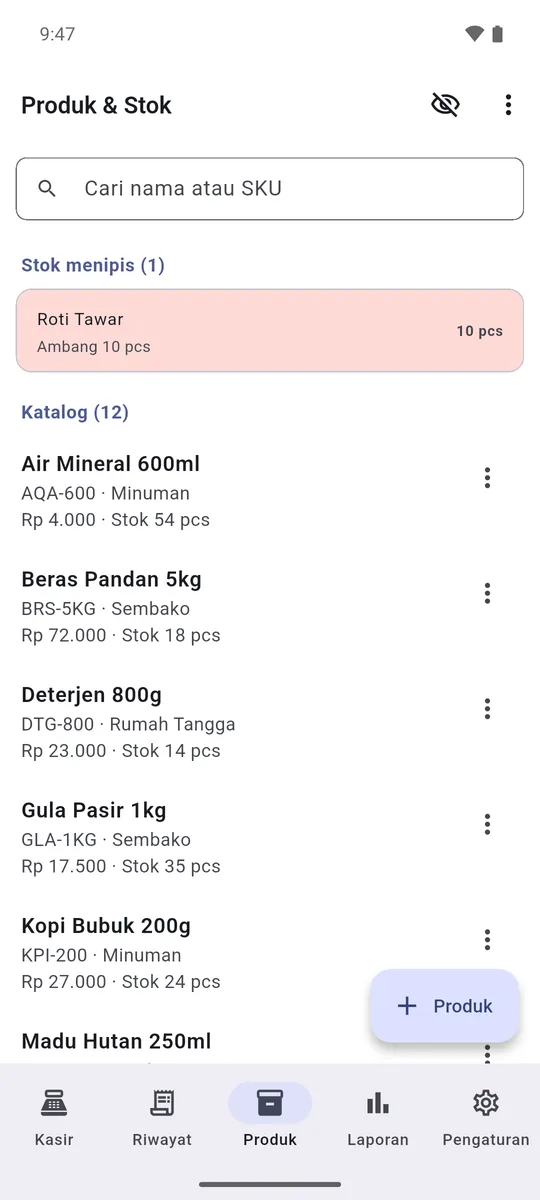
Sorry, we're out of that.
Stock counts itself down with every sale.
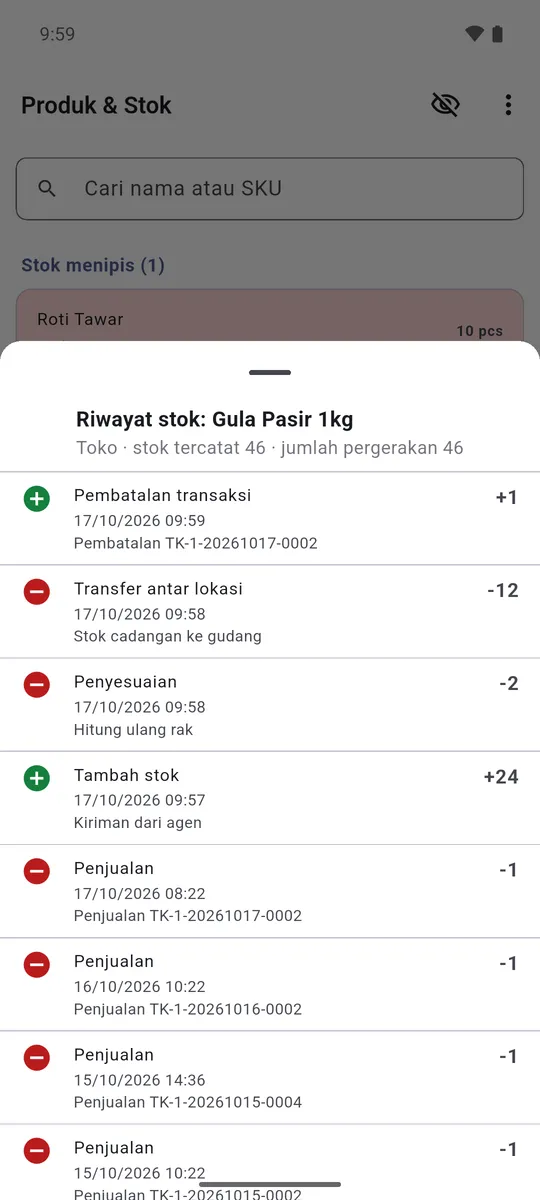
The book says 20, the shelf has 17.
Sales with their receipt numbers, deliveries, shelf recounts, moves to the storeroom and cancellations, each with the time and the reason. When the numbers differ, you can see when and why.
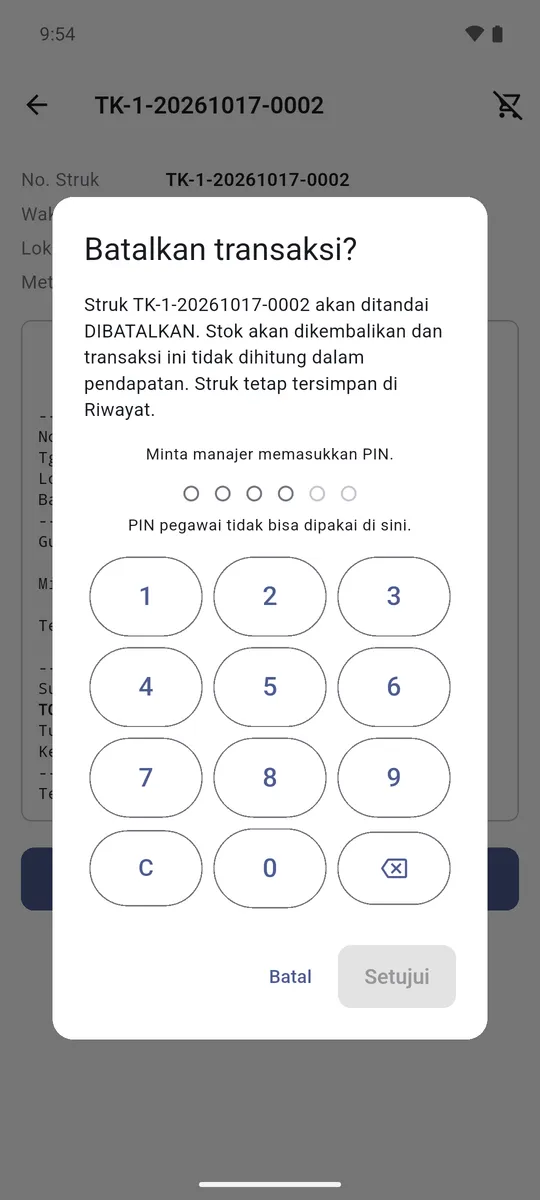
How did a sale go missing?
A cancelled receipt is never deleted. It stays in the history, struck through and left out of the takings, its stock goes back, and the approving manager's name is recorded.
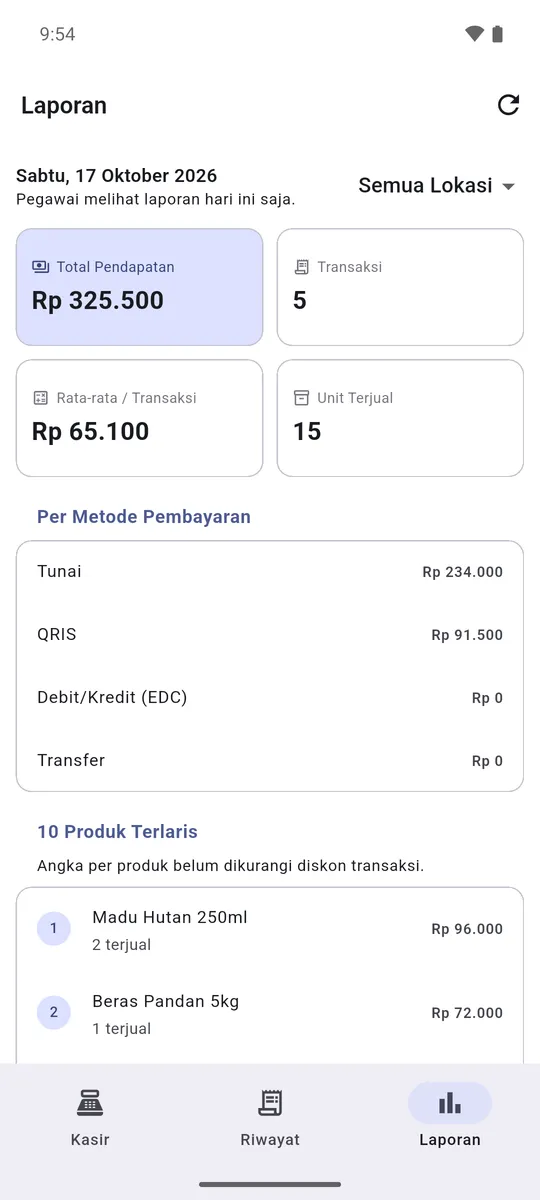
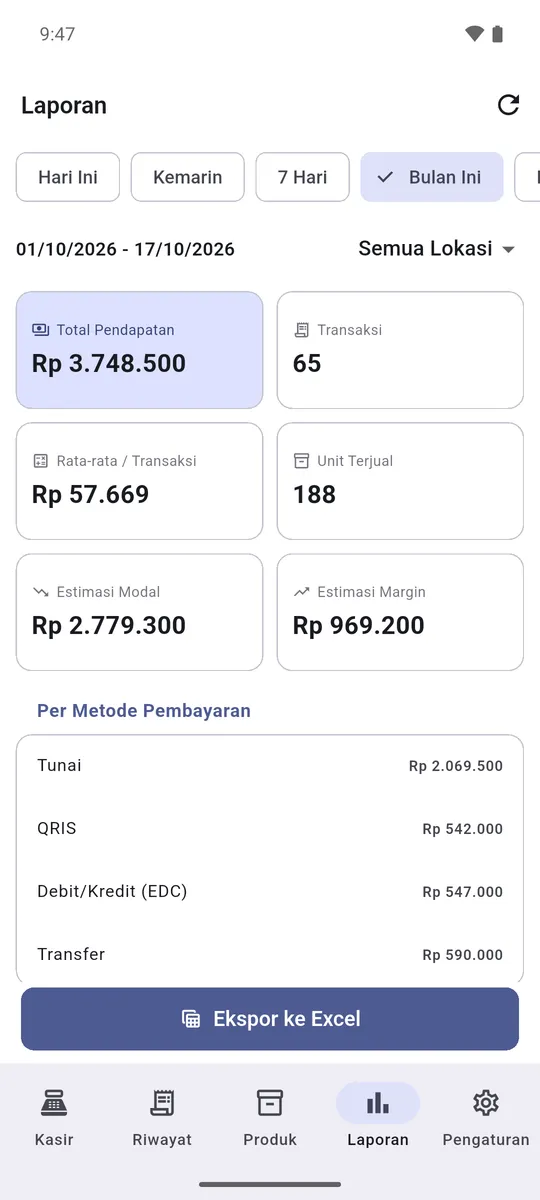
My staff don't need to know my costs.
Staff make sales and see today only. Costs, margins, monthly reports and exports are for managers.
The signal's bad again.
Everything is saved on the phone first, so a sale never waits for the internet. When the signal comes back, the data sends itself, and two phones in the same shop show the same numbers.
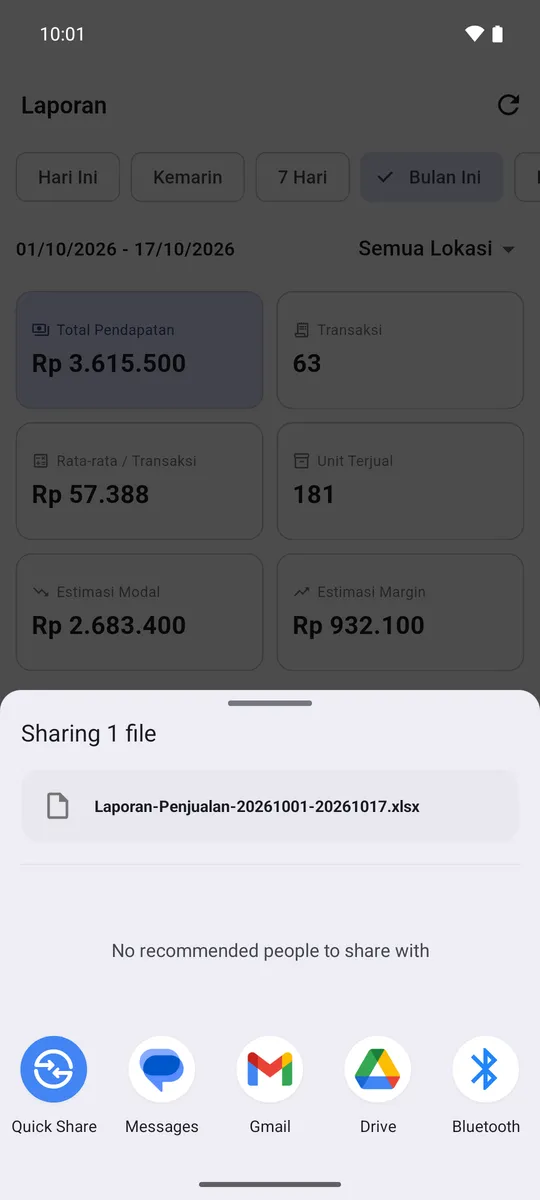
The monthly summary takes a whole day.
Transactions, line items, a summary per product and current stock in one file, for your own books or your accountant. Managers only.
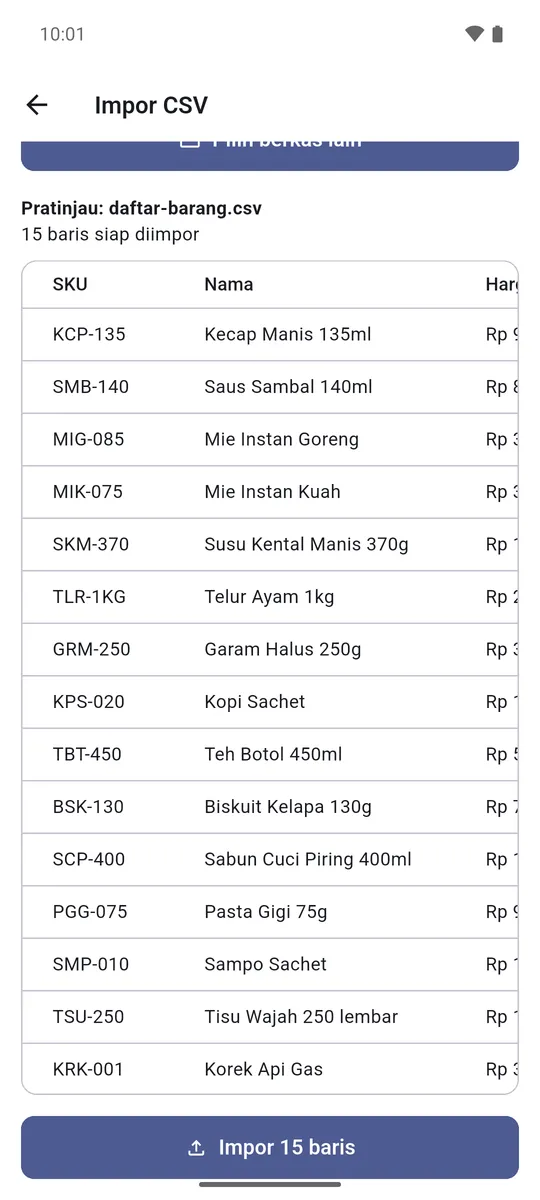
I have hundreds of products. How do I enter them?
Save the list as CSV, check it on screen, then import it all. Rows with mistakes are skipped and listed.
Figures and products in the screenshots are examples.
Install the app on an Android phone you already own.
Add your products and opening stock, typed in or taken from Excel.
Start recording sales the same day.
Made for small businesses that want simple, affordable record-keeping at bazaars and market stalls.
Phones running Android 7.0 or later. No cash register or computer needed.
No. It needs the internet once, the first time you sign in with your shop's account. After that the register keeps working without signal, even for days, and the data sends itself when the signal comes back.
Yes. Two phones in the same shop show the same numbers, stock included.
LapakuPOS isn't on the Play Store yet. Message us on WhatsApp: we'll send you the app with your shop's account and explain how to install it.
Ask us on WhatsApp and we'll tell you the subscription price.
Tell us about your business on WhatsApp. We'll explain how to install LapakuPOS and what the subscription costs.
Ask on WhatsApp